
How do I clone a job on Optymatch?
The system will create a copy of the job with the existing details, allowing you to make edits before publishing it again. This is especially useful when hiring for recurring or similar positions.
OptyMatch allows you to quickly clone existing jobs, helping you save time when hiring for similar roles.
To clone a job:
- Go to the Jobs section
- Locate the job you want to duplicate
- Click on the three-dot menu beside the job listing
- Select Clone Job
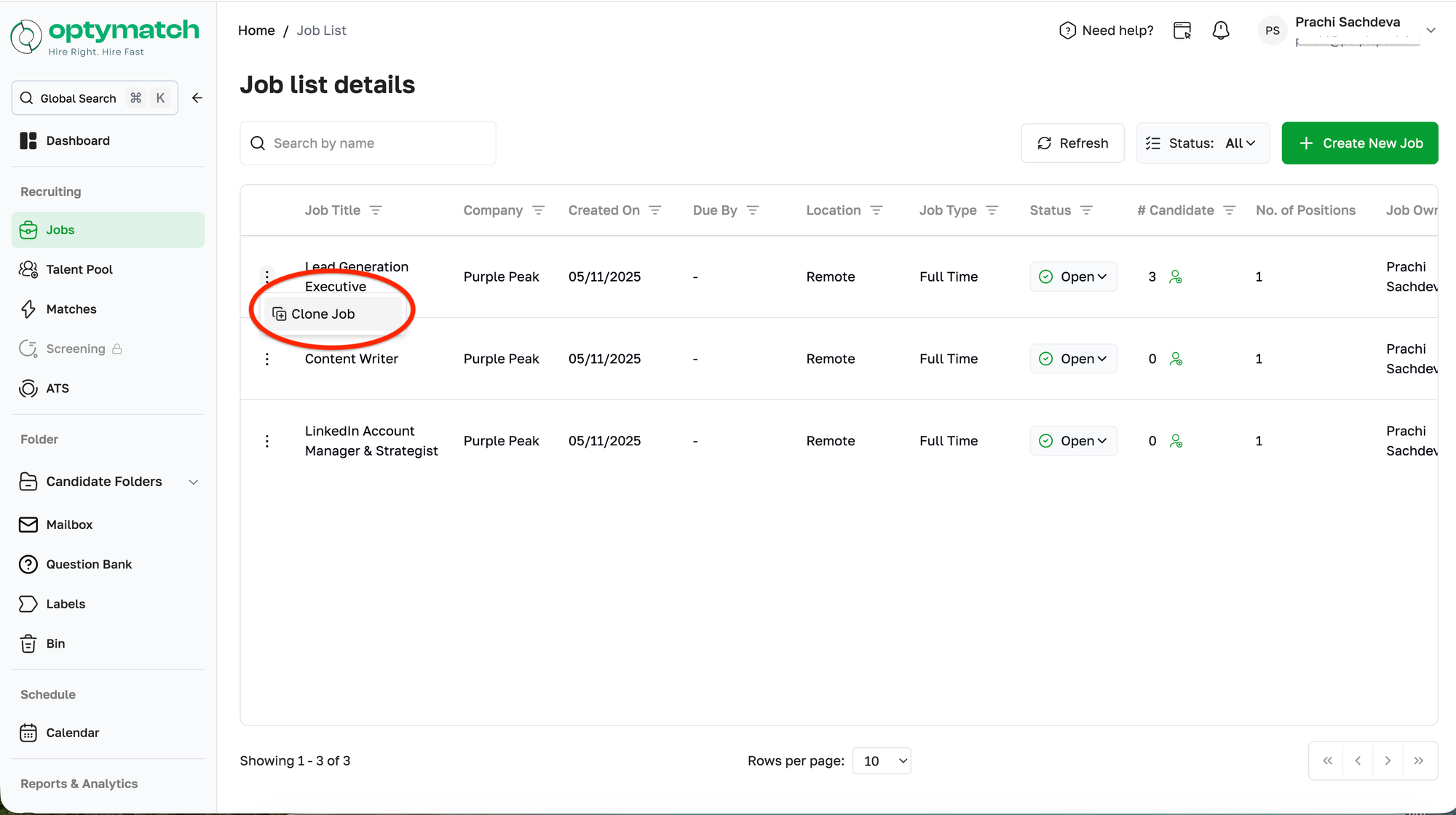
The system will create a copy of the job with the existing details, allowing you to make edits before publishing it again. This is especially useful when hiring for recurring or similar positions.