
How do I search for candidates if I have a job description?
There are two ways to find the right candidates using a job description on Optymatch:
There are two ways to find the right candidates using a job description on Optymatch:
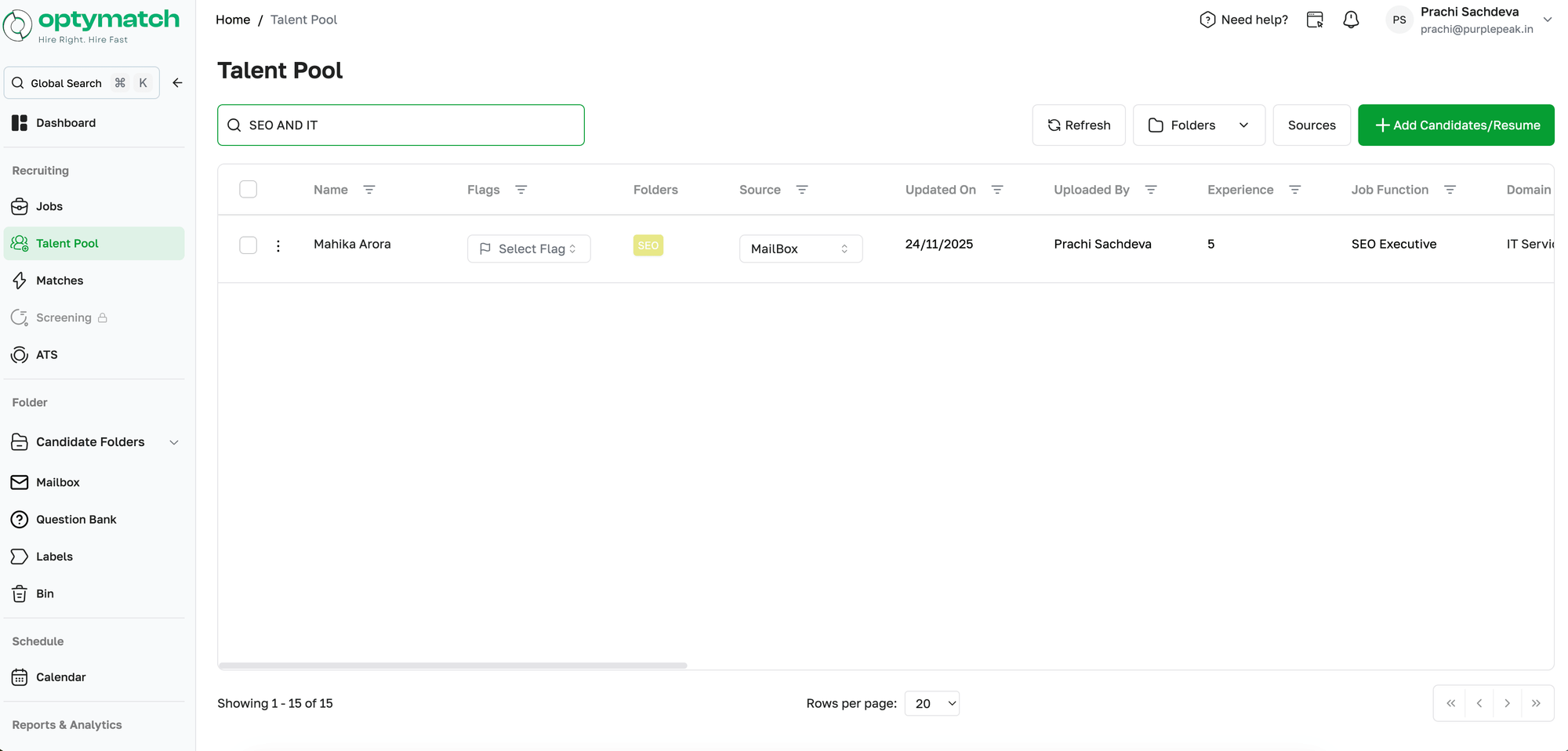
Via Boolean Search in the Talent Pool:
- Go to the Talent Pool
- Use Boolean search to type in the role, skill, or experience you are looking for (e.g., "Content Writer" with 2 years of experience)
- A filtered list of matching candidates appears instantly, along with their pipeline stage and status
Via AI Recommendations in Jobs:
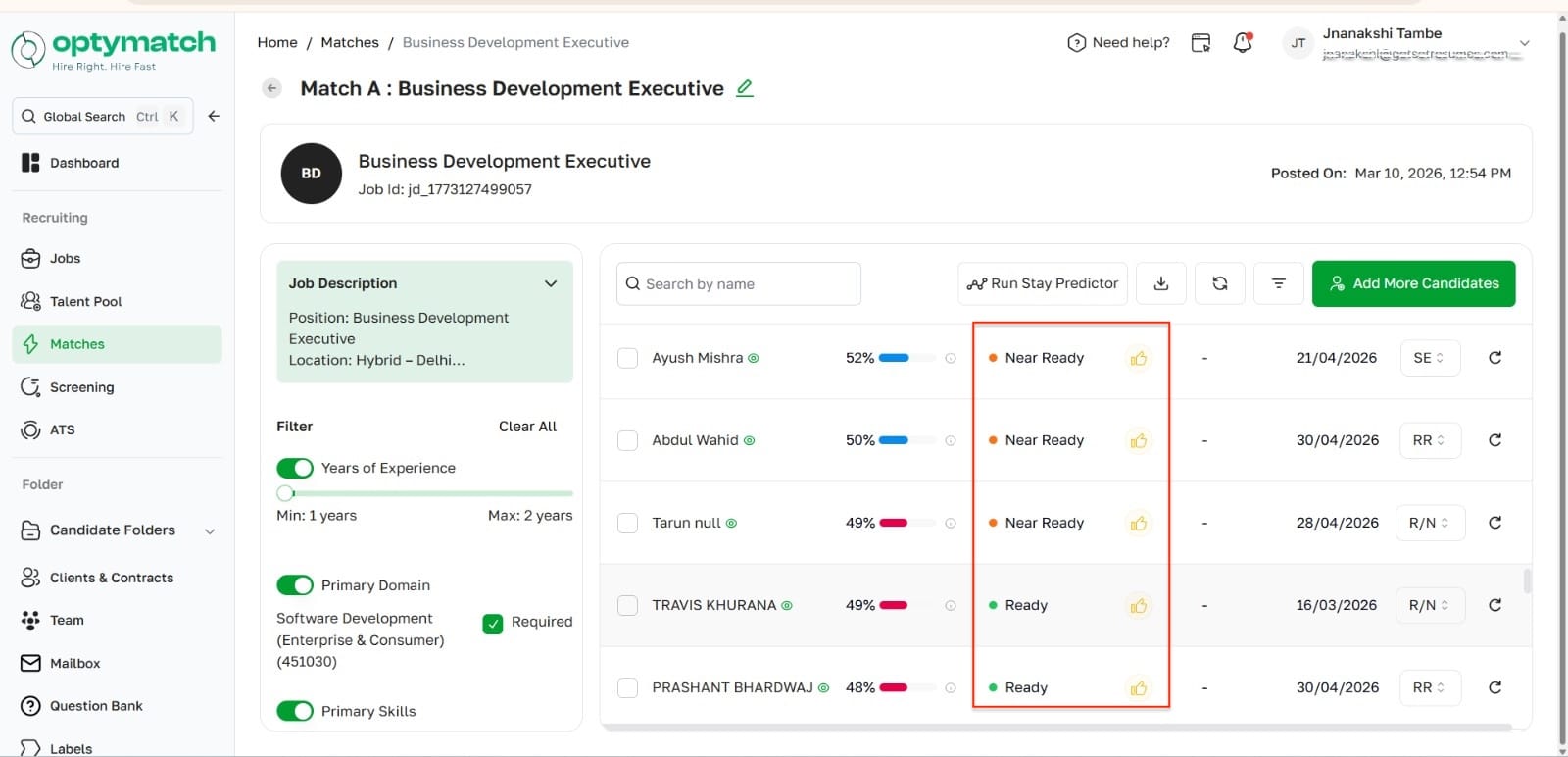
- Go to the specific job you have created
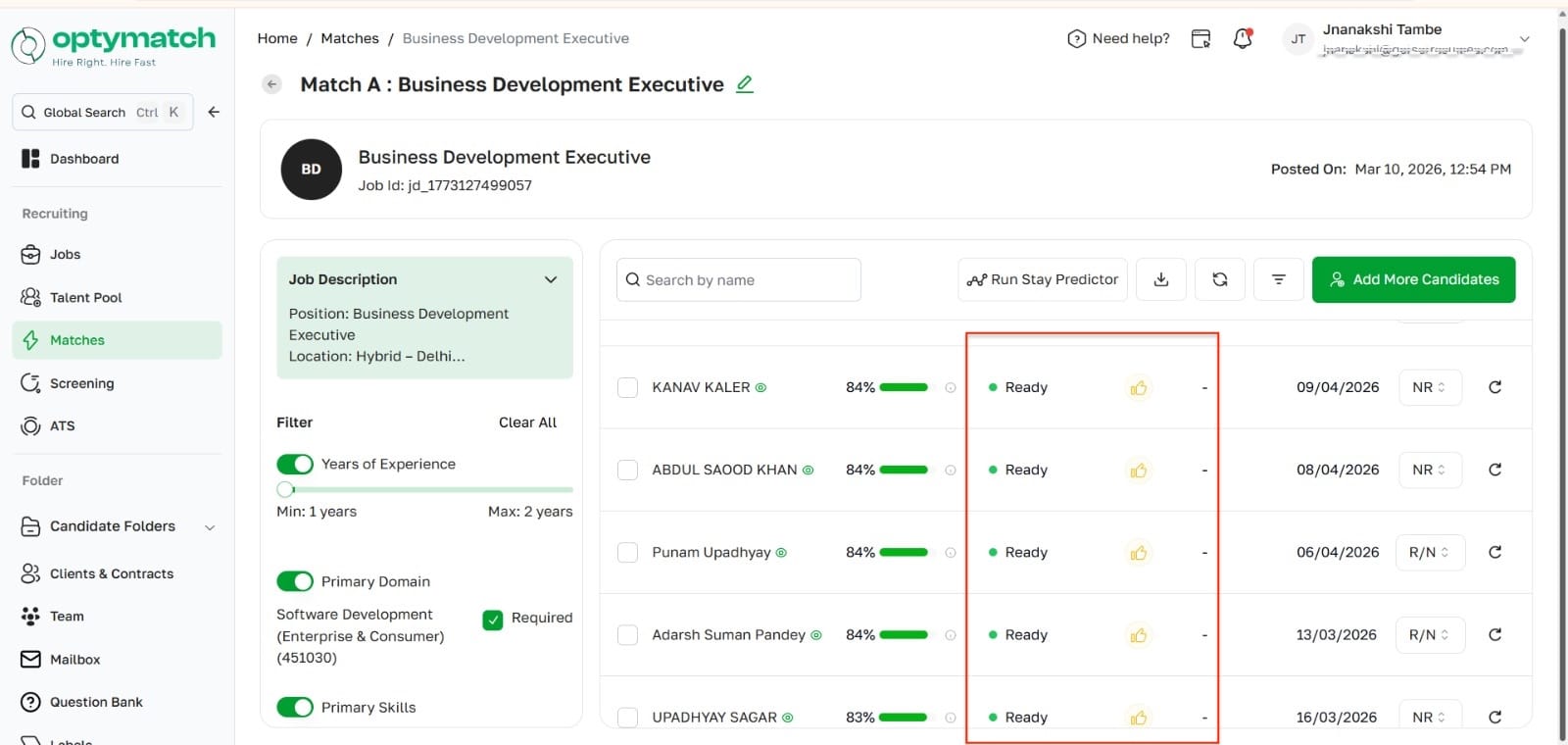
- Optymatch uses OptyScore to automatically rank and recommend the most relevant candidates from your Talent Pool against the job description
- A thumbs up verdict is shown for candidates Optymatch recommends — even if their overall score is not the highest, the verdict signals strong fit based on deeper analysis
💡Use Boolean Search when you want to explore broadly. Use the Jobs module when you want AI to do the matching and ranking for you.