
How to Add Candidates to Optymatch?
Candidates are added to Optymatch through the Talent Pool, which is the central database where all candidate profiles are saved before being assigned to any specific job. Optymatch AI will read every resume Optymatch AI will read every resume, parse it, and index it so that you can search it later.
Candidates are added to Optymatch through the Talent Pool, which is the central database where all candidate profiles are saved before being assigned to any specific job. Optymatch AI will read every resume Optymatch AI will read every resume, parse it, and index it so that you can search it later.
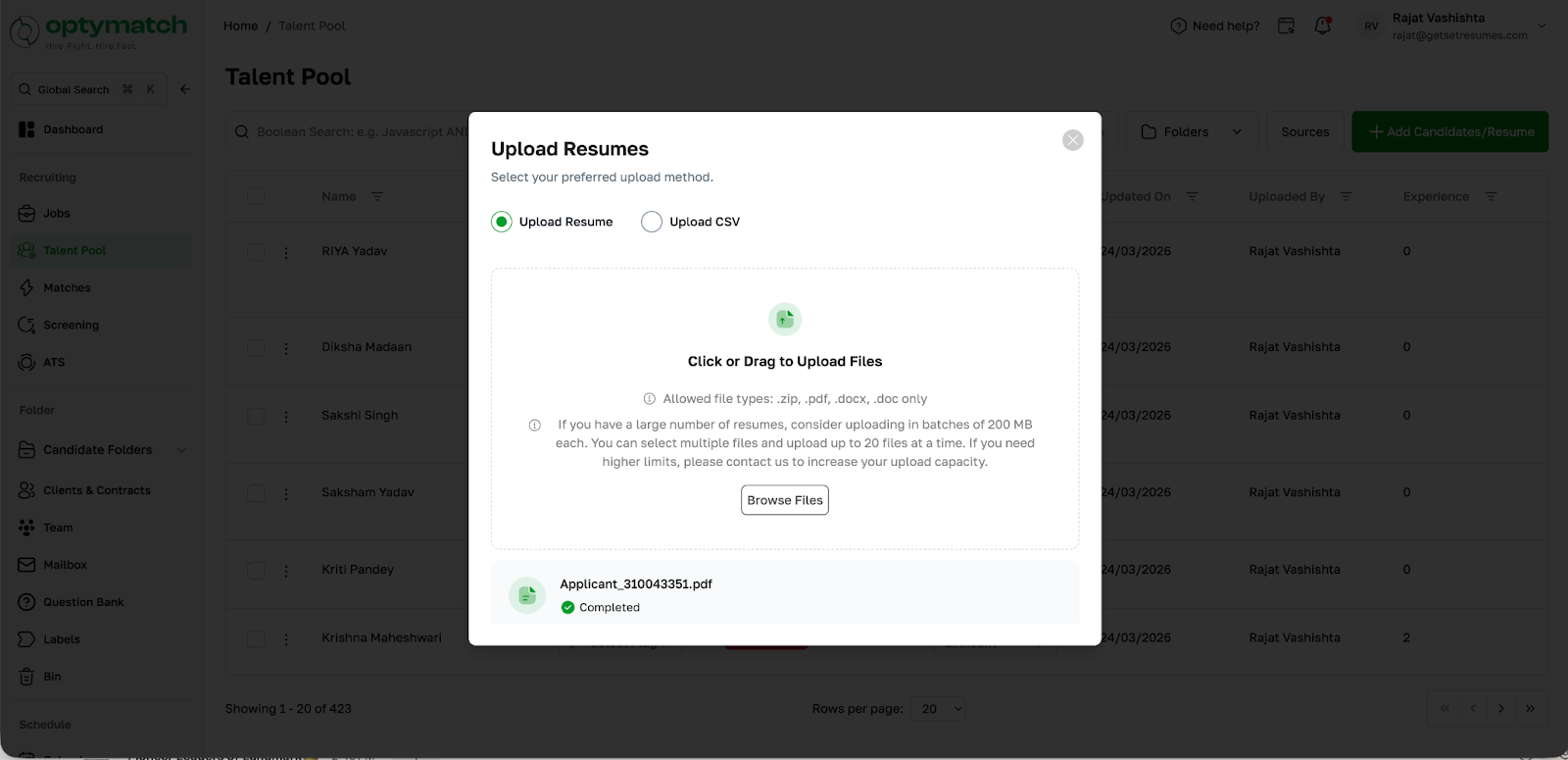
You can upload resumes in three ways:
Option A: Individual Upload (PDF)
Upload resumes one by one in PDF format directly to the Talent Pool.
Option B: Bulk Upload (CSV/ZIP)
- Compress multiple resumes into a ZIP or CSV file
- Drag and drop the file to upload
- Upload up to 100 resumes at a time (max 200 MB)
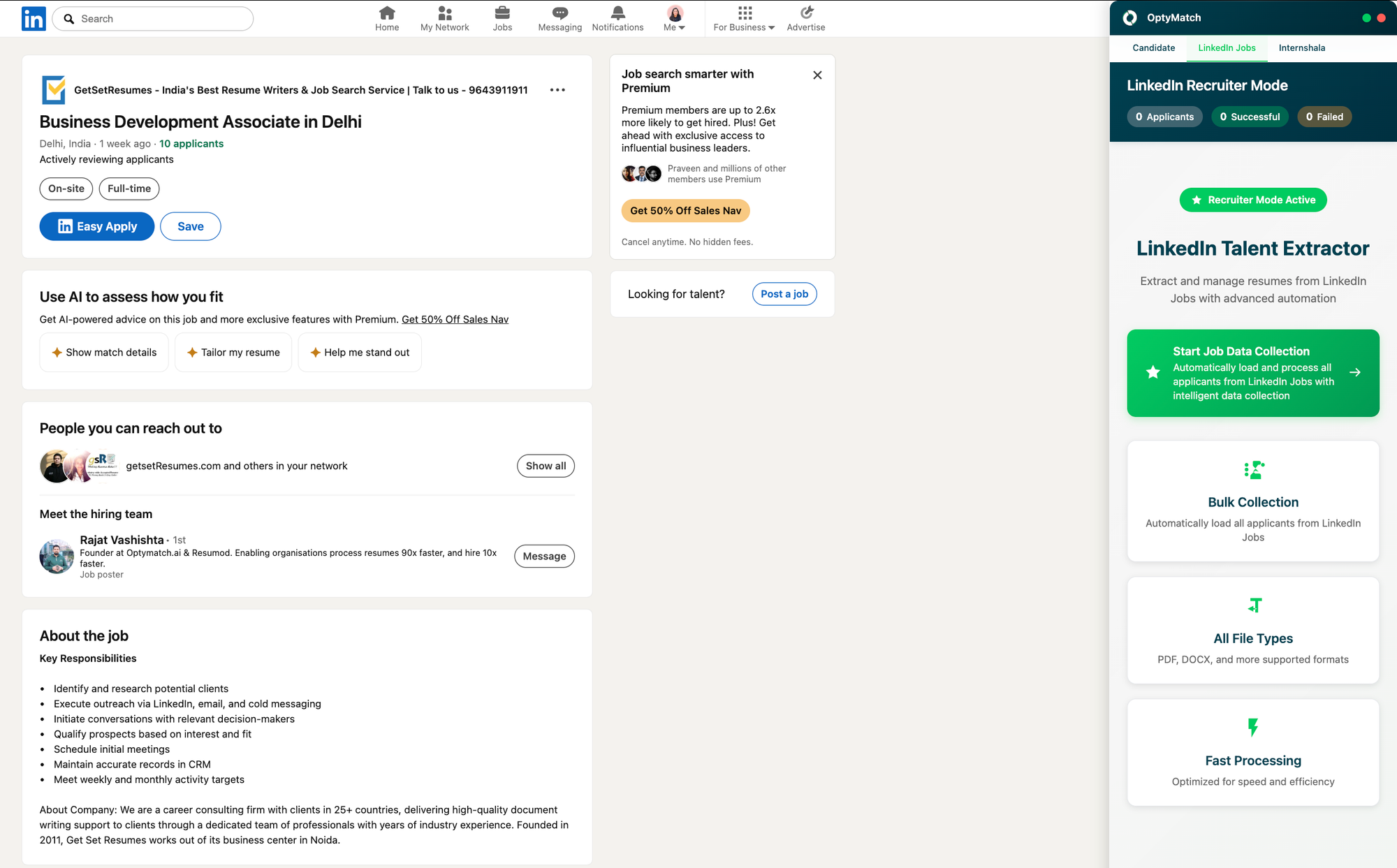
Option C: Source Directly via Chrome Extension
Use the Optymatch Chrome extension to source candidates directly from LinkedIn and Internshala and add them to the Talent Pool without manually downloading or uploading resumes.
Once resumes are uploaded, Optymatch AI reads every resume, parses it, and indexes it in the Talent Pool, making all profiles instantly searchable so you can find and perform operations on them later.