How can I share a candidate profile with my boss, hiring manager, or client?
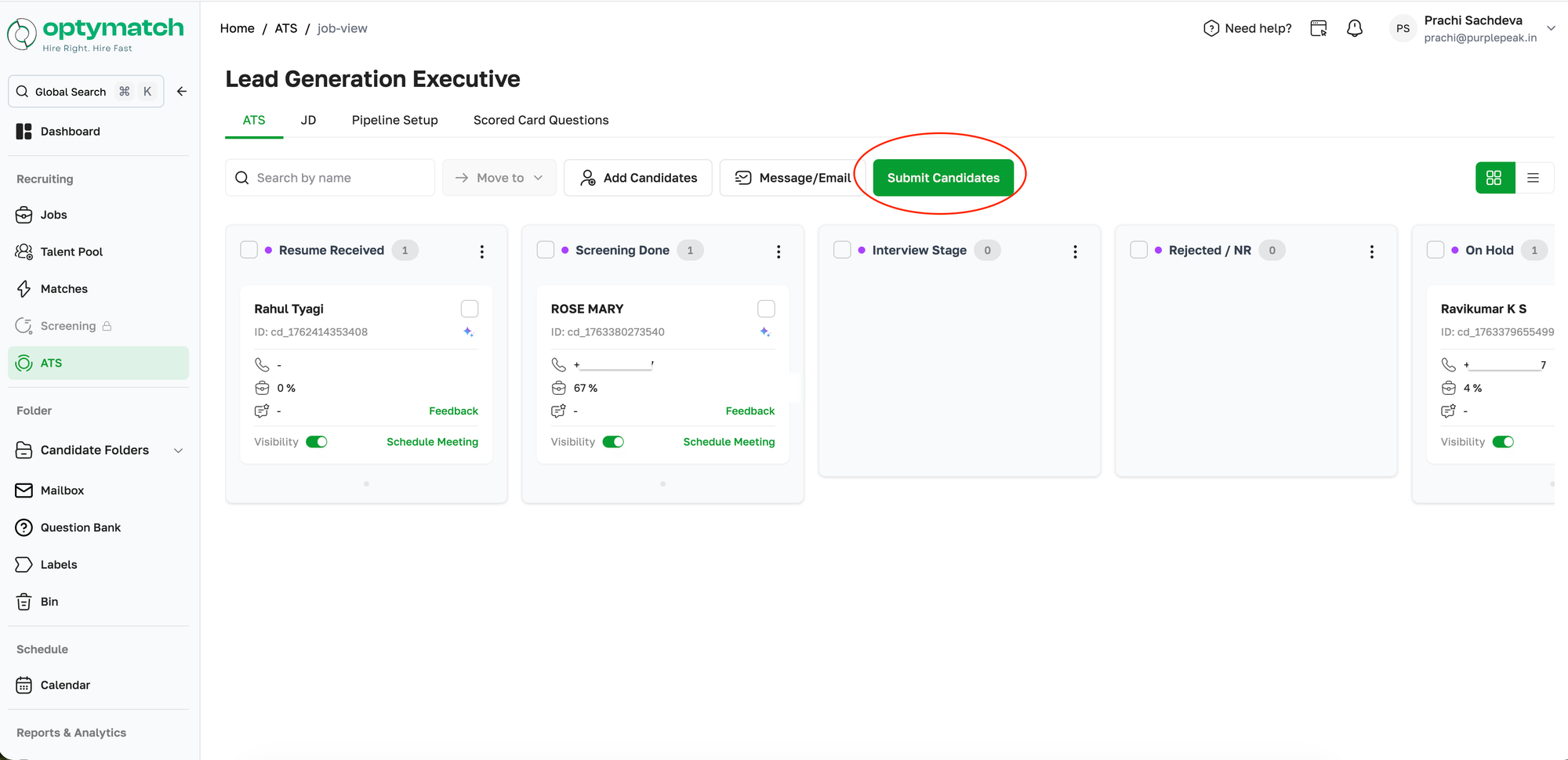
You can share candidates directly from the ATS using the Submit Candidates feature.
You can share candidates directly from the ATS using the Submit Candidates feature. Here is how it works:
- Go to ATS and open the specific job
- Click Submit Candidates at the top right
You will see two options:
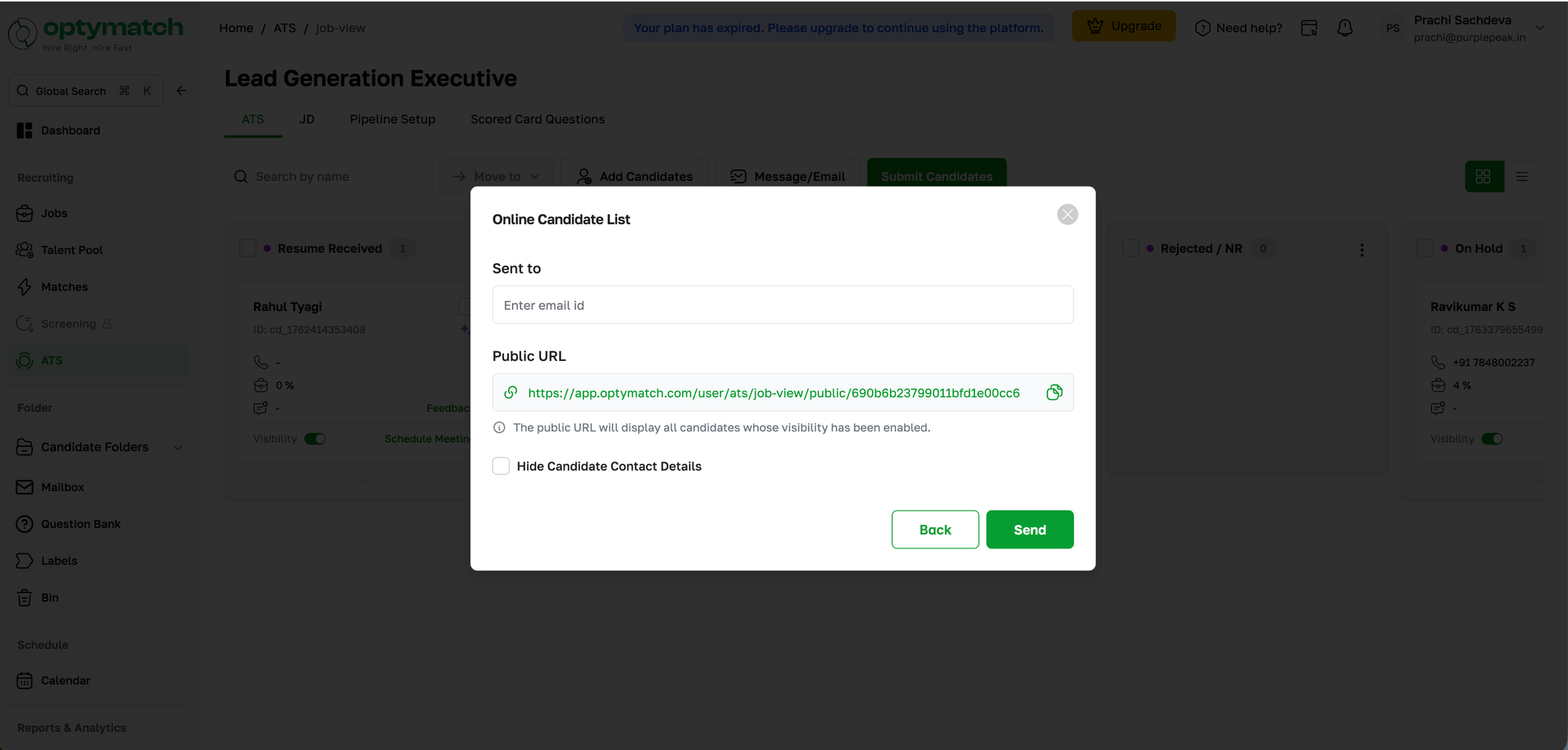
Option 1: Online Candidate List
- Generates a URL that you can copy and share with anyone
- Enter the recipient's email ID and click Send, and they will receive the link directly
- The link displays all candidates whose visibility has been enabled
- You can choose to Hide Candidate Contact Details if you do not want to share personal information
- The recipient does not need an Optymatch account to view the list
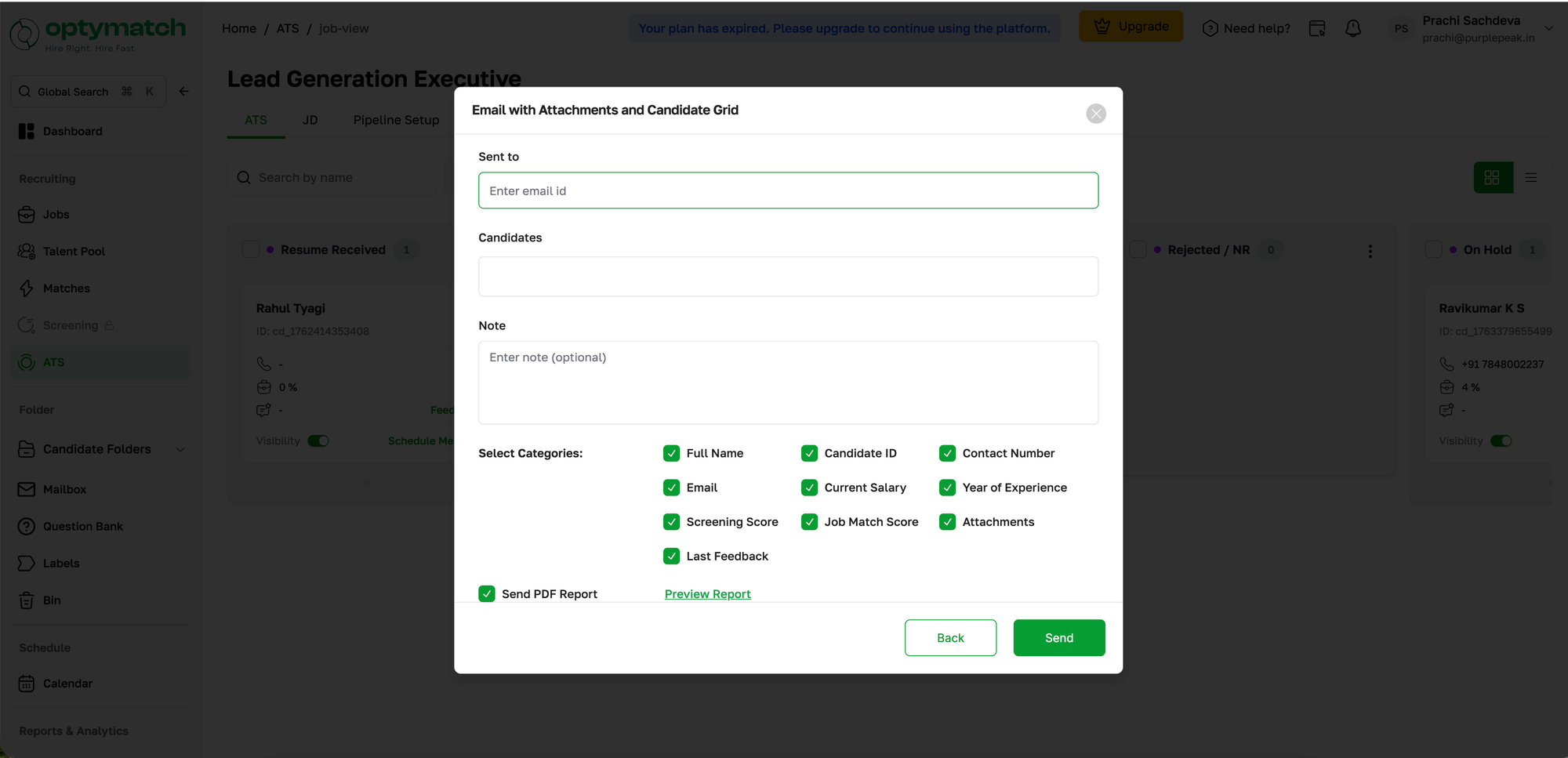
Option 2: Email with Attachments and Candidate Grid
- All visible candidates' CVs are attached directly to the email body along with a candidate grid
- Note: Only the first 20 candidates will be sent using this option, ordered by most recently updated